 The DashApply Team
You've saved a promising role in a browser tab, copied the company name into a spreadsheet, replied to a recruiter from your phone, and written “follow up?” in a notes app. Somewhere in that small pile is the resume version you submitted. Probably.
Job tracker apps give the search a home, but they aren't interchangeable. A simple board may be enough for a focused search. A career CRM makes more sense if networking drives your opportunities. A tailoring workspace is better when your resume gets attention but not callbacks. Privacy, application volume, remote searching, and a career change all affect the right choice.
The usability gap is real. Research into job-search experiences found that 49% of participants said tracking applications across job sites and apps wasn't easy, while application tracking explained about 9% of the variation in SUPR-Q scores. The UX research points to a practical need for clearer status views, reminders, and cross-application visibility.
This comparison focuses on what each app feels like in use, not just what appears on its feature page. I'm looking at tracking depth, browser capture, reminders, resume tailoring, automation boundaries, availability, privacy, and how painful it is to move your existing search into the system.
Table of Contents
- 1. DashApply
- 2. Huntr
- 3. Teal Job Tracker
- 4. Jobscan Job Tracker
- 5. Simplify
- 6. Careerflow
- 7. JibberJobber
- 8. LoopCV
- 9. Kiter
- 10. OfferTrail
- Top 10 Job Tracker Apps Comparison
- Build a tracker workflow you will actually maintain
1. DashApply
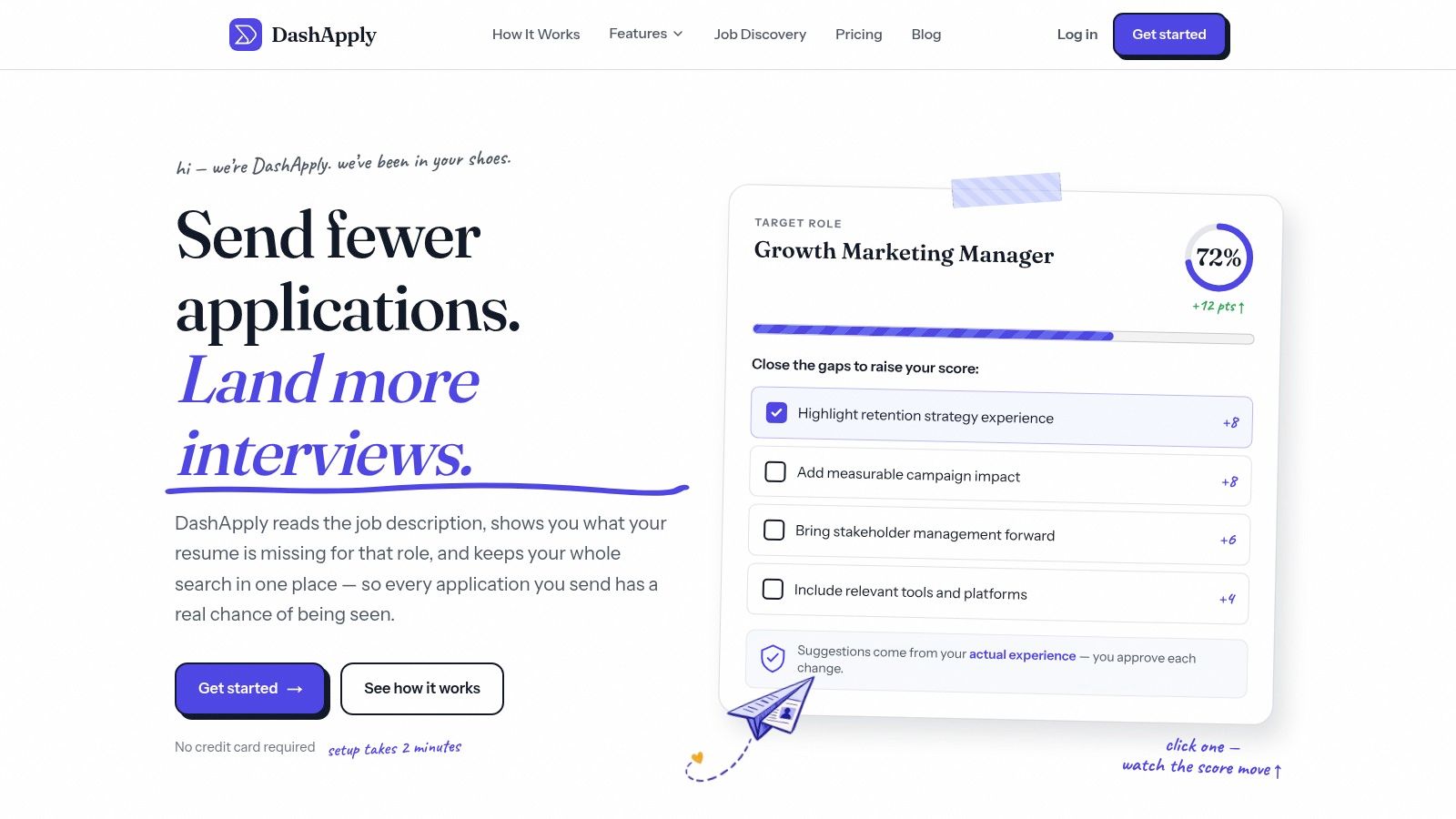
DashApply fits applicants whose main problem is producing the right resume for each role, then remembering which version went where. It gives that work a home without asking you to rebuild your career history for every application.
Import a job, start with your existing experience, and use the platform to format an ATS-friendly resume, spot missing skills or keywords, and adjust application materials for the role. Treat the match score as a review prompt, not a hiring forecast. Read and edit every suggested change before downloading or submitting anything.
That review-first boundary matters. ATS tools generally look for language connected to the job description, qualifications, responsibilities, and required skills. Forbes Advisor's ATS resume guidance recommends taking those terms from the posting itself instead of relying on generic synonyms.
Best for resume-led applications with a record attached
The tracker keeps saved, applied, and interview-stage roles together with notes and follow-up reminders. It also connects each customized resume to the job that prompted it, which helps prevent the familiar “final_resume_really_final_v7.pdf” problem.
Job discovery and application tracking sit in the same workspace. The Chrome extension and ATS integrations are still testing or rolling out, so DashApply is not a live auto-apply system. Autofill is coming soon, and the product does not promise one-click applications, bulk submissions, interviews, or offers.
That makes it a better fit for review-first applications than for maximizing volume. Pair it with a simple routine: capture promising roles, review the description, adjust only relevant evidence, then submit and record the result.
- Choose it for: Career switchers, mid-career professionals, and applicants who need role-specific resumes without losing oversight.
- Use it carefully for: High-volume searches where speed tempts you to submit everything. Relevance still matters more than a swollen application count.
- Availability: DashApply includes a 3-day trial. After the trial, the main product is paid, but the job tracker remains free to use, including tracking which resume was sent where and adding notes for each role.
Practical rule: Let the tool speed up drafting, not remove your judgment. Read every bullet before it represents you.
Visit DashApply if you want that review-first boundary built into the workspace.
2. Huntr
Huntr solves the coordination problem when a job search has more moving parts than a simple list can handle. Its Kanban-style board shows saved, applied, and interview-stage roles at a glance, while each card can hold the next action. A visual board is most valuable precisely when your search has outgrown a list.
The Chrome extension is the main convenience. Clip roles from different job sites, then keep company details, contacts, interview notes, tasks, and files with the relevant opportunity. In practice, Huntr feels closer to a working pipeline than a spreadsheet, especially when networking and applications overlap.
Huntr also offers resume tailoring, keyword extraction, match scoring, and application autofill. That broader toolkit helps with volume, but it does not remove the need to review a posting and confirm that the evidence in your resume is accurate. Its strongest use is giving the whole search one visible home.
Where Huntr earns its place
Huntr fits applicants managing several live conversations at once. A recruiter's name, interview date, follow-up task, and resume file can sit beside the role instead of being scattered across email, notes, and folders. Its product research and updates also point to an actively maintained service rather than a neglected board with a sign-up page.
The trade-off is access to the deeper features. Advanced AI functions and larger saved-job capacity require Pro, and a long search can make that subscription harder to justify. Compare the free tier with your actual pipeline, not the idealized version you might build someday.
For a practical comparison with a spreadsheet, see job application tracker spreadsheet vs app. Huntr suits you better when job cards, contacts, and reminders should be structured from the start. A spreadsheet remains a sound choice if you need custom fields and are willing to maintain them.
- Choose it for: Visual thinkers, broad searches, and applicants who need contact tracking beside application tracking.
- Skip it for: A small search where a simple list is faster than learning another workspace.
Explore Huntr as a candidate for the coordination and networking side of your search. Test whether clipping a role and recording a follow-up is faster than your current habit, because that is the part you will use every day.
3. Teal Job Tracker
A job search can stall before the application stage. You have the posting open, a resume that is close but not quite aligned, and several versions saved with no clear reason for the differences. Teal is built for that point in the process. It combines a job tracker with resume support, giving applicants a place to assess a role before submitting anything.
Its polished interface makes a broad search easier to hold onto. You can keep promising roles visible instead of discarding them just because they are not ready for action. That suits applicants comparing several possibilities, though people who only need a short list may find the extra workspace unnecessary.
The resume tools are Teal's clearest advantage. It compares language in a job description with language in your resume, so a posting asking for “pipeline management” may expose a resume that only says “managed accounts.” That prompt can lead to a more accurate description of your experience. It should not lead to copying every keyword into a skills section.
LinkedIn's resume keyword guidance recommends comparing several target postings, spotting repeated terms, and using relevant language naturally across the summary, skills, and experience sections. For example, if a role asks for forecasting, explain where you forecasted and what decisions followed. A keyword block without supporting evidence will not make the application stronger.
Teal also offers email templates, AI writing help, and interview preparation. Unlimited tracking is available in the free experience, while some writing and preparation features require Teal+.
Choose Teal for resume tailoring, a clean interface, and a search where keeping many roles organized matters. Watch the upgrade decision if you would use the AI tools only occasionally. The tracker may provide most of the value on its own.
A practical sequence is simple: save the role, review the description, revise evidence in the resume, check the finished application, then record the exact version submitted. That review-first habit matters more than collecting another unexamined application. See how DashApply compares with Teal when weighing a resume-centered tracker against a broader application workspace.
4. Jobscan Job Tracker
If your resume workflow already runs through Jobscan, its Job Tracker keeps the application record close to the ATS-matching work. You can compare a resume with a job description, save the role, and continue tracking it without rebuilding the same information in another system.
The board covers the basics: company, title, posting, source, and application status. That short handoff matters when you are tailoring several resumes and need to remember which version went where.
Jobscan is a better fit for resume tailoring than for complex search management. Its tracker is simpler than dedicated job-management platforms, which keeps setup and upkeep light. For a focused search, that can be an advantage.
The trade-off appears once your process depends on detailed networking notes, several interview stages, frequent reminders, or deeper reporting. Jobscan's advanced tools also require paid access, so the value depends on whether you already use its resume optimization features regularly.
Keep three records with every saved role:
- Record the role: Store the company, title, posting, source, and application date together.
- Attach the evidence: Note the resume version or Jobscan comparison used for that application.
- Set the next action: Add the follow-up, interview preparation, or review date that comes next.
Use the tracker after reviewing the posting and checking the finished application, not as a reason to submit faster. That workflow makes Jobscan a practical companion for ATS-focused applications, though it will feel limited if you need a full networking and interview command center.
Open Jobscan Job Tracker if you want a straightforward tracking layer beside Jobscan's resume analysis.
5. Simplify
A long application form can turn a promising job search into repetitive data entry. Simplify targets that specific problem. Its Copilot browser extension autofills many applications and can add submitted roles to the tracker, removing the manual logging that high-volume applicants often abandon first.
The tracker records the role, company, and application stage. Resume scoring, cover-letter generation, and networking tools broaden the platform, though autofill remains its clearest strength. It suits applicants who need speed and a record of what they submitted, rather than people seeking a detailed networking or interview command center.
Automation still needs a review-first workflow. Core features are available to job seekers for free, while some advanced capabilities require Simplify+. Auto-logging can preserve the company name and application stage, but it does not judge whether the role fits your experience, salary requirements, location preferences, or search priorities.
Use Simplify to reduce form friction, not to make qualification decisions. Before submitting, inspect every populated field, especially dates, job titles, work authorization, location preferences, and open-ended answers. Confirm that the attached resume matches the role and that the written responses reflect the posting. A wrong autofill answer takes less time to enter, but it remains wrong.
A practical setup is simple:
- Choose it for: Repetitive forms and searches where manual tracking is the main obstacle.
- Review before relying on it for: Highly customized applications, sensitive questions, and roles where each written response carries weight.
- Check the plan first: Advanced plan details are not fully transparent, so confirm which capabilities you need before upgrading.
Try Simplify if application mechanics are consuming your week. Pair it with a qualification check and one tracker you will maintain. That combination preserves Simplify's speed while reducing the risk of building a tidy record of applications you should never have submitted.
6. Careerflow
Careerflow suits a job search that has outgrown a basic application board. Candidates can save roles through its browser extension, then work on a resume, LinkedIn profile, networking task, reminder, or mock interview in the same workspace. That breadth reduces app switching, though it also puts more tools on screen than a simple tracker needs.
The LinkedIn features are the clearest reason to consider it. They fit applicants who treat their profile as an active part of the search, particularly in marketing, sales, consulting, and business development. Resume editing and follow-up tasks make the platform useful for coordinating several parts of an application rather than recording status alone.
Useful breadth, unclear limits
Careerflow's FAQ describes a free tracker without job limits. Some user experiences report caps before an upgrade prompt. Those descriptions do not line up cleanly, so check the current terms against the size of your pipeline before moving every saved role into the app. Product limits can change, and a broad free-plan description may not cover every connected feature.
Careerflow works best when your search includes profile work, resume revisions, networking, and interview practice. If you only want a clean applied, interviewing, rejected board, the extra modules may create more clicks than value.
Use one active role as a test. Importing your entire search first makes it harder to tell whether Careerflow reduces switching or just gives you more places to maintain.
- Choose it for: LinkedIn-focused searches and a coordinated workspace for tasks, resumes, and networking.
- Check first: Free-tier limits, especially for a long or high-volume search.
- Keep it tidy: Archive roles you have rejected or ruled out so the active view stays useful.
Review Careerflow, then pair it with a review-first application check.
7. JibberJobber
An application can begin with a former colleague's introduction, move through an informational conversation, and lead to a role months later. JibberJobber is built for that kind of search. It connects jobs with companies, recruiters, hiring managers, former colleagues, and follow-up tasks instead of treating each vacancy as a separate record.
Its career-management CRM stores jobs, companies, and contacts in one place. Activity logs, reminders, email and calendar touches, and browser tools create a history you can revisit when a company reopens a role or a contact becomes relevant again.
The payoff is relationship memory. After someone introduces you to a hiring manager, record the connection and next action immediately. That beats searching an old inbox thread when you need to remember who promised to make an introduction.
JibberJobber feels older and more deliberate than newer trackers. Recording a straightforward application can take more effort than expected. The structure becomes useful when referrals, recruiter conversations, informational interviews, and repeat interest in the same company fill your pipeline.
Use a review-first workflow: check the role, tailor the application, then log the decision, contact, and next follow-up. Monster's follow-up guidance recommends tracking the job title, company, application date, follow-up dates, contact person, and response status, while respecting instructions not to call or email.
Choose JibberJobber for networking-heavy searches and long-term relationship history. Choose a lighter tracker when you only need a saved, applied, interviewing, and rejected view. Its extra structure is paperwork if your search is small, but useful if your best opportunities come through people.
Explore JibberJobber when follow-up quality matters as much as application volume.
8. LoopCV
If your search depends on reaching many clearly defined roles, LoopCV takes a campaign-style approach. Its automation scans job boards and submits applications based on your settings, while the tracker logs the roles it sends. That removes the repetitive task of recording each application manually.
It also includes a CV builder and checker, CV version testing, and email outreach tools for recruiters and hiring managers. In practice, LoopCV feels built for setting parameters, launching a search, and monitoring the results rather than polishing every application in one careful workspace.
The trade-off is breadth. Automation can suit roles with consistent titles and predictable requirements, but it needs tighter controls when postings use unusual wording, include screening questions, or require a convincing career-change narrative. A high application count is useful only if the roles fit.
Use the free plan to test basic automation before paying for more. The product's marketing claims come from the vendor, so validate whether its submitted applications match roles you would have chosen yourself. Review the search filters, resume version, location rules, salary preferences, and recruiter emails before increasing volume.
- Choose it for: Carefully defined, breadth-first searches where you can inspect the resulting pipeline.
- Be cautious with: Senior, specialized, regulated, or career-change applications.
- Review before scaling: Open several submitted applications, check their relevance and accuracy, and confirm that the selected resume fits each role.
If your search is broad in scope, run one loop on a narrow filter set for two weeks before scaling it, then decide whether See LoopCV earns a place beside a manual review pass.
9. Kiter
Kiter suits applicants who want a lightweight board rather than another application-management system. It brings jobs, interviews, and networking contacts into one workspace, with basic resume templates and organization tools. The interface stays focused instead of turning each stage into an AI task.
That restraint helps with a small, active search. Add the roles you are actively pursuing, keep their progress visible, and spend your time tailoring materials or speaking with contacts. Kiter also offers probability analytics, which can make pipeline health easier to assess without treating one promising listing as a sure thing.
A clean choice for a small active set
Kiter's strongest use case is simplicity. It has low setup overhead and may appeal to applicants who prefer a one-time fee or invite model to recurring billing. Pricing is not transparently listed on the site, so confirm the current arrangement before using that preference to decide.
The trade-off is coverage. Kiter has fewer advanced AI and tailoring tools than larger suites. For ATS formatting, keyword review, cover letters, or application analytics, pair it with a separate tool and review each application before sending.
Use the board according to its limits:
- Log the source URL: Kiter does not auto-capture postings, so save the original link with each entry and re-check the requirements later.
- Keep contacts in context: Put interviewers and networking contacts beside the relevant role instead of maintaining a separate contact list.
- Preserve the submitted version: Attach the resume you sent, so later follow-ups match the application.
Kiter works when restraint is a feature. If you need tailoring or analytics, pair it with the tool that covers those, and let the board stay boring. Visit Kiter
10. OfferTrail
OfferTrail suits applicants who want email-assisted tracking without handing over their entire inbox. Instead of granting Gmail or Outlook access, you forward job-related messages to a private address. OfferTrail can then create or update application entries from the messages you choose to send.
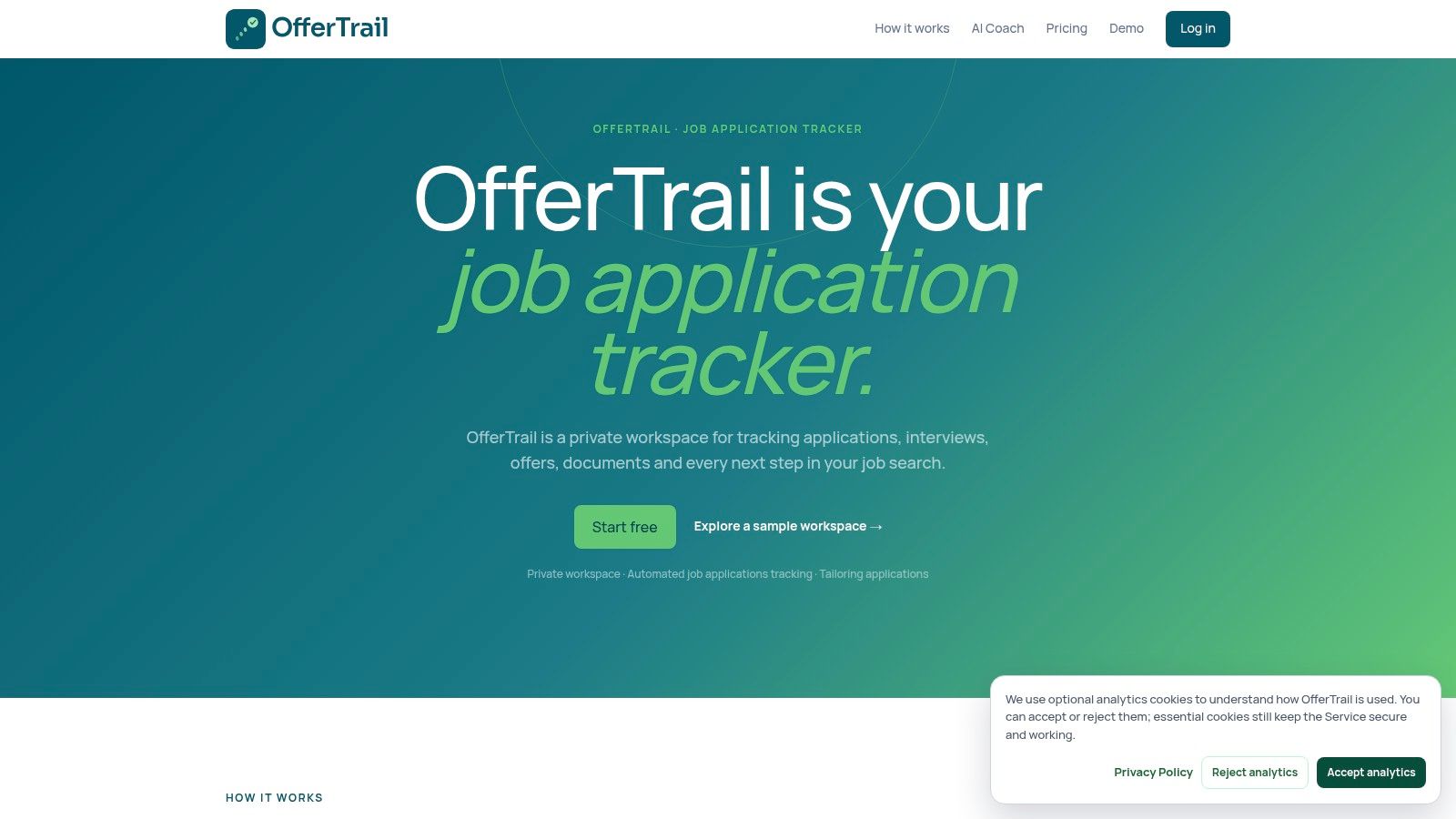
The workspace also handles manual tracking, with notes, files, and status stages. Its AI Coach can help tailor CVs and responses to a specific role, placing OfferTrail between a privacy-focused tracker and a small application assistant. Treat those suggestions as a first pass, then review each application before sending it.
The privacy trade-off is practical: forwarding requires a habit. Miss a relevant message, and it will not appear automatically. That extra step is reasonable for applicants who want control over what enters the system, but inconvenient for anyone expecting a fully automatic inbox sync.
OfferTrail's free tier allows unlimited manual tracking for lighter users. The focused interface may be easier to maintain, although the product is newer and has a smaller community than established platforms. Pro pricing appears in GBP and EUR, so check the currency and regional availability before subscribing.
Choose it for: privacy-conscious applicants who still want email-assisted logging.
Expect to do: forward relevant messages and verify that entries were created correctly.
Don't assume: email automation replaces follow-up judgment or CV tailoring.
Open OfferTrail if limiting inbox access matters and forwarding job-related messages feels manageable.
Top 10 Job Tracker Apps Comparison
| Product | Core features | UX / Quality (★) | Value / Price (💰) | Target audience (👥) | Unique selling points (✨) |
|---|---|---|---|---|---|
| DashApply 🏆 | AI-tailored ATS resumes & cover letters; 200k+ job discovery; Chrome extension; tracker, analytics, and resume-to-role record with notes | ★★★★☆, fast, review-first workflow | 💰 3-day trial, then paid product; tracker is always free | 👥 Active job seekers, mid-career, career switchers | ✨ Auto-tailored edits grounded in your experience; review-first workflow; always-free tracker that keeps resume versions and notes with each role |
| Huntr | Kanban pipeline; Chrome job clipper; AI tailoring & autofill; contact tracking | ★★★★☆, mature, visual tracker | 💰 Free tier; Pro unlocks advanced AI & limits | 👥 Users managing dozens of concurrent applications | ✨ Strong Kanban + browser tooling for heavy trackers |
| Teal Job Tracker | Unlimited tracking; resume builder; keyword matching; interview prep | ★★★★☆, polished UI, reliable extension | 💰 Generous free tier; Teal+ for advanced AI | 👥 Users wanting unlimited tracking + prep tools | ✨ Unlimited free tracking + built-in interview prep |
| Jobscan Job Tracker | JD/resume scanner integration; central board; one-click add from scans | ★★★☆☆, simple, utility-focused | 💰 Free with Jobscan account; paid tools for advanced | 👥 Users who use Jobscan's ATS tools | ✨ Deep ATS-matching integration with tracker |
| Simplify | Job tracker; Copilot autofill & auto-log; ATS scoring; networking tools | ★★★★☆, effective auto-logging | 💰 Core free; Simplify+ for advanced features | 👥 High-volume applicants seeking automation | ✨ Copilot autofill that auto-logs submissions |
| Careerflow | Tracker + save-from-site extension; resume builder; LinkedIn optimizer; mock interviews | ★★★★☆, end-to-end workflow | 💰 Free tracker (claims); paid upgrades | 👥 Users wanting full career stack in one place | ✨ Strong LinkedIn optimization + mock interviews |
| JibberJobber | CRM-style job/contact tracking; follow-ups; activity logs | ★★★☆☆, feature-rich but older UX | 💰 Mixed pricing (long-term career tool) | 👥 Network-focused job seekers / career planners | ✨ Deep contact & follow-up CRM for long-term tracking |
| LoopCV | Auto-apply loops across boards; auto-logged dashboard; CV A/B testing | ★★★☆☆, automation-first, breadth focus | 💰 Free trial plan; paid for advanced automation | 👥 Breadth-first, high-volume applicants | ✨ Auto-apply “loops” that submit at scale |
| Kiter | Lightweight tracker & CRM elements; basic resume templates | ★★★★☆, minimal, clean interface | 💰 One-time fee (invite model); pricing opaque | 👥 Users preferring simplicity & non-subscription | ✨ Simple pipeline + one-time payment option |
| OfferTrail | Email-forward auto-logging; private workspace; AI Coach; manual tracking | ★★★★☆, privacy-first, focused board | 💰 Free manual tier; Pro listed in GBP/EUR | 👥 Privacy-conscious job seekers | ✨ Email-forward model preserves inbox privacy and auto-logs entries |
Build a tracker workflow you will actually maintain
The best job tracker app is the one that removes a recurring annoyance without creating a new administrative hobby. Choose based on the bottleneck you can name.
For quality-first applications, DashApply or another tailoring-centered workspace makes sense. These tools help connect the job description, your real experience, the resume version, and the application record. Huntr or Teal are better broad-organization choices. Huntr leans toward visual pipeline and contacts, while Teal leans toward resume work and keyword alignment.
Choose JibberJobber when relationships drive the search and you need a durable history of conversations. Kiter is the cleaner option for minimal tracking. OfferTrail fits applicants who want email-assisted logging without granting full inbox access. Automation-focused tools such as LoopCV or Simplify can reduce repetitive work, but only if you still review relevance, accuracy, and the final application.
The hiring environment makes this organization useful. One industry summary reports that nearly 99% of Fortune 500 companies use applicant tracking systems, about 70% of large companies use one, and 75% of recruiters rely on an ATS or another technology-driven recruiting tool. The ATS adoption summary also reports that 86% of ATS users said the technology reduced time to hire, with effective use cutting cycle time by as much as 60%. Job seekers don't need to imitate every employer workflow, but they do benefit from keeping their own materials and decisions structured.
Move only the useful parts first
Don't migrate years of abandoned bookmarks. Move the roles that still have a plausible next action.
- Export or copy active roles: Include the company, title, posting URL, source, and location.
- Normalize stages: Use the same labels everywhere, such as saved, qualified, customized, applied, interview, offer, rejected, and archived.
- Add deadlines: Record application closing dates, interview dates, and follow-up dates.
- Attach the right resume: Keep the exact version submitted to each role, along with any cover letter.
- Record people: Add recruiters, referrals, hiring managers, and the context of each connection.
- Archive stale listings: A clean board should show current decisions, not every role you've ever glanced at.
A tracker should also help you learn. Huntr's 2025 annual report analyzed 1.7 million applications, 1 million job postings, and 243,000 resumes, and found that LinkedIn accounted for the largest share of saved jobs across every quarter of that year. The same report put median time to first offer at 68.5 days in Q2 2025. Huntr's annual job-search report illustrates why source, resume version, and timing belong beside the status. Without those fields, “not hearing back” stays a feeling instead of becoming a pattern you can inspect.
Use a weekly rhythm: capture new roles, qualify them, tailor the strongest applications, submit, schedule follow-ups, and review response patterns. If a resume version gets no traction, inspect the evidence and positioning before sending it to more companies. If one source produces better conversations, spend more time there. If a role doesn't meet your criteria, archive it instead of letting it occupy mental shelf space.
Start today with the smallest active set of roles you can manage. Move those roles into one tracker, normalize their stages, attach the correct documents, and connect the process to a review-first application workflow such as DashApply. Don't assume autofill is live, and don't let automation make a decision you haven't reviewed.
DashApply helps you create ATS-friendly resumes, tailor every application to the role using your real experience, track follow-ups, and keep a clear record of which resume was sent where. Start your 3-day trial at DashApply to test the full workspace, then keep using the job tracker for free, including resume tracking and notes for every role, no card required.