 The DashApply Team
You submit an application, get the confirmation email, and tell yourself you'll check the portal later. Then you check it before lunch. Again after lunch. Again the next morning, as if the status label might change because you stared at it with enough conviction.
That loop is understandable, but it doesn't give you useful information. A calmer way to check job application status is to treat it as a small workflow: verify the application landed, check the channels where an employer might contact you, record what changed, and follow up only when the timing makes sense.
Table of Contents
- The refreshing trap and what to do instead
- Every channel you should be checking
- What ATS status labels actually mean
- A timing protocol that protects the relationship
- Reading silence as a signal
- Putting it all in one dashboard
- Your next step and a one-page checklist
The refreshing trap and what to do instead
Silence after applying feels personal because you've put real effort into the application. But a quiet inbox doesn't tell you whether a recruiter has opened your resume, whether the hiring process is paused, or whether anyone has updated the portal. It tells you only that you haven't received a message.
Applicant-tracking systems show the information an employer's setup makes available. Some give you a useful status label; others confirm receipt and then go quiet. A hiring team may also be coordinating reviews across several roles, so a few days without news aren't a meaningful verdict.
The fix isn't to stop caring. It's to stop using refresh as a substitute for evidence. Check the record, note the date and status, then decide when you'll look again. That way, your next action comes from what you know, not from the fact that the portal is still open in another browser tab.
A useful distinction: Checking a portal tells you what the system displays. Following up asks a person for information. Those are different actions, and they don't need to happen at the same time.
If a job search is starting to feel like a second unpaid job, it may help to read DashApply's practical advice on job-search burnout. For now, give each application one record and one next-check date. You're collecting signals, not trying to force a decision out of a system that may not be ready to show one.
Every channel you should be checking
A portal isn't the whole story. An employer might send an update by email, use a job-board messaging feature, or contact you through a channel they already used to arrange a conversation. Check the channels connected to the application, but don't turn every check into another round of refreshing.
Start with the application record
Open the employer's portal or the job board where you applied. On Indeed, look under the Applied area for the role. Check that the application matches the right company and job, and record the requisition title, location, submission timestamp, and status label if those details are available.
A confirmation proves the application was received. It doesn't prove a recruiter has read it. Treat labels like “submitted” and “under review” as workflow information, not promises of an interview or a decision. Indeed's application guidance also recommends checking application records and employer messages where available.
Search your inbox, not just your inbox
Look for the company name, role title, and words such as “application” or “interview.” Check spam and junk, along with promotions or other filtered folders. An automated confirmation may be useful evidence that your submission went through; a message asking you to complete an assessment or choose a time is a more meaningful next step.
LinkedIn messages and InMail are worth checking when the recruiter or hiring team contacted you there. If a recruiter has already used SMS or WhatsApp with you, check that conversation too. Don't assume an employer will switch to a new channel without warning, though. Use the channel they've already established, and avoid messaging unrelated employees just to get an answer.
| Channel | What to look for | Suggested cadence |
|---|---|---|
| Employer portal or job-board application area | Correct role, submission record, requisition details, and any status change | Check after applying, then at your planned review time |
| Email, including filtered folders | Receipt, assessment requests, recruiter messages, and interview details | Sweep when reviewing open applications |
| LinkedIn messages or InMail | Replies from a recruiter or a contact already involved in hiring | Check alongside your inbox |
| SMS or WhatsApp | A reply or scheduling message from a recruiter who has contacted you there | Check when you review that conversation |
A quick Monday-morning routine is enough: open each application record, scan the matching email thread, review relevant recruiter messages, and write down any change or next action. Check each channel once during the routine. Refreshing the same page repeatedly won't make the hiring team update it faster.
What ATS status labels actually mean
A status label is a description of a step in a company's workflow, not a verdict on your chances. It can help you confirm that an application exists, but the label may not tell you whether a person has read it or what the hiring team plans to do.
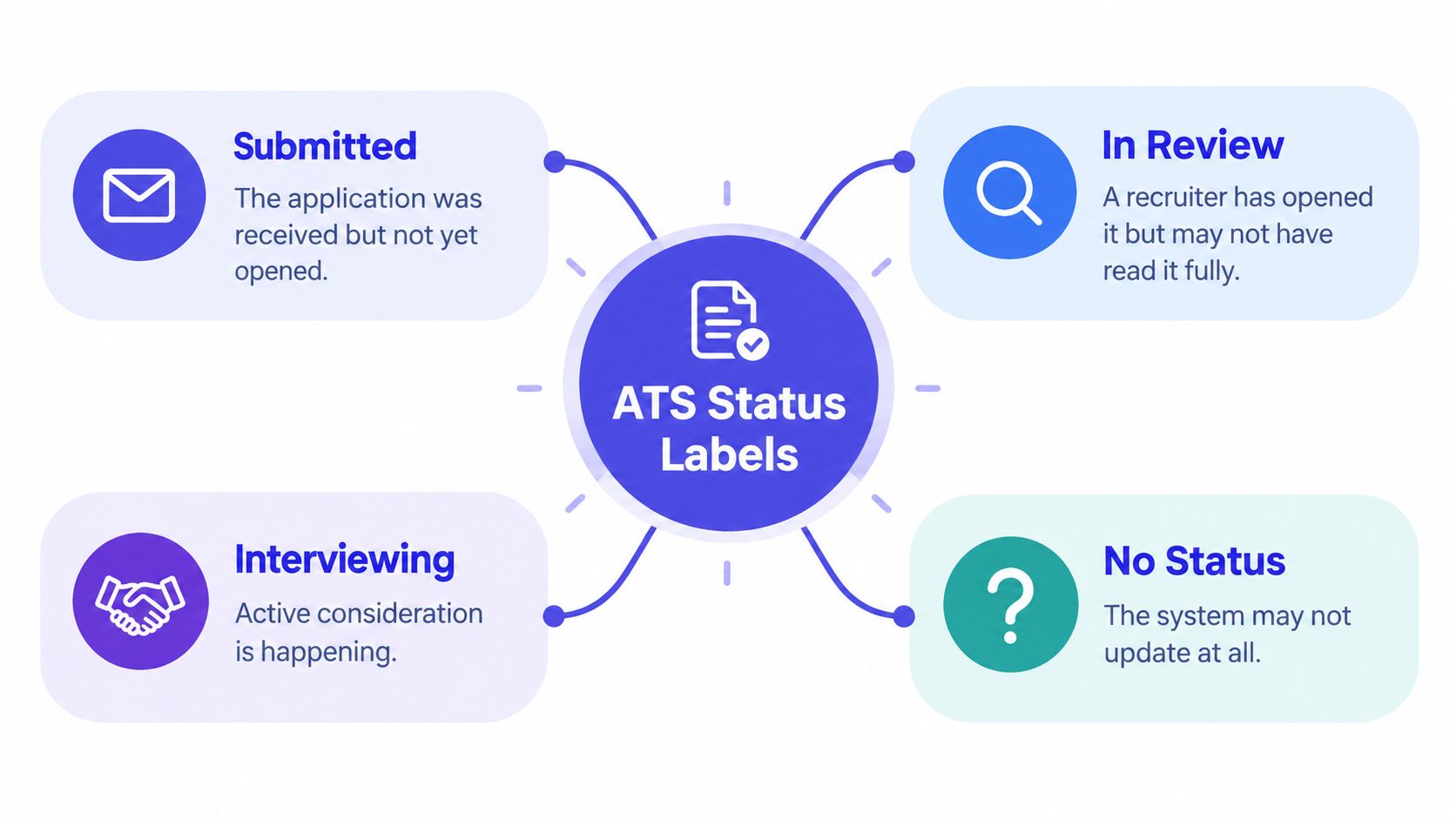
“Submitted” or “received” usually means the system recorded your application. It's a useful confirmation, not evidence of a review. “Under review” or “in review” can mean the application is in a screening workflow, but the label alone won't tell you whether a recruiter has read the full file or when they'll respond.
“Interviewing” can be ambiguous, too. It may describe the requisition's overall stage rather than confirm that you personally have an interview. A direct invitation or a recruiter message about scheduling is a much clearer signal than a general portal label.
| Label or display | A sensible interpretation |
|---|---|
| Submitted or received | The system has a record of your application |
| Under review or in review | The application is associated with a review stage, but the label doesn't reveal the full activity |
| Interviewing | The requisition may have reached an interview stage; look for a message addressed to you |
| No status or no visible update | The system may not expose or refresh status information |
Some employers don't show application status at all. Others may leave a label unchanged after the process has moved on. Neither tells you, by itself, that you've been rejected or overlooked. Keep a dated note of what the portal shows, then give more weight to direct communication, a changed closing date, or a specific request from the hiring team.
A timing protocol that protects the relationship
Your follow-up email can do one of two things: nudge the process along or annoy the person holding it. The difference is almost entirely timing. If the posting names a closing date, wait until it passes, then give the team room to review applications. If the employer gave you a decision date, that date beats any generic rule.
No stated timeline? A practical first check-in lands about 7–14 days after submission. Bigger organizations deserve more slack. Recruiters there often work through application volumes that smaller teams never see, so waiting as much as three weeks isn't unreasonable. Indeed's advice on following up about application status recommends a measured approach rather than demanding an immediate decision.
Send one useful message
Every message you send should carry new information. That means confirming the exact role, requisition number, and submission date before you write a word. Restate your interest, connect one qualification to the job, and ask about expected next steps. Keep it short. A follow-up that reads like a second cover letter tells the recruiter you don't respect their time.
First follow-up
Subject: Follow-up on [Role title], [Requisition number]
Hello [Name or hiring team],
I applied for the [Role title] position, requisition [number], on [submission date]. I'm still interested, particularly because my experience in [relevant qualification] fits the role's focus on [specific responsibility]. Could you confirm whether my application was received and share any update on the expected next steps?
Thank you,
[Your name]
No reply? Wait another one to two weeks before considering one second message. Indeed's guidance on following up after an application says to keep outreach limited, and repeated messages rarely change the outcome. If the employer told you not to contact them, respect that instruction.
Second follow-up
Subject: Checking in on [Role title], [Requisition number]
Hello [Name or hiring team],
I'm following up once more on my application for [Role title], requisition [number], submitted on [submission date]. I remain interested and would appreciate any update you can share about the hiring timeline.
Thank you for your time,
[Your name]
Interviews shift the anchor point. Send a thank-you note within 24 hours, then ask for an update after about one to two weeks if the employer hasn't given a decision date. The same measured cadence applies, just anchored to the interview rather than the submission.
Then know when to stop. After a second unanswered inquiry, close the tab and redirect that energy into other applications. Your interest is already on record, and a third, fourth, or fifth message adds nothing new. Two messages is persistence. Five is a reputation.
Reading silence as a signal
Silence doesn't automatically mean rejection, and a portal's “under review” label doesn't guarantee that a recruiter is actively working on your application. Some openings are delayed or paused. Others may have been listed while an employer's plans were changing.
That isn't a far-fetched explanation. A 2025 Checkr survey of 3,000 U.S. job seekers found that 66% had applied to roles that appeared open but were later discovered to be inactive (Checkr's 2025 hiring report). Separately, a 2025 Stepstone study covering 8,100 employees and more than 500 recruiters found that 64% of job seekers had been ghosted after applying. These figures don't tell you what happened to any one application. They do show why silence shouldn't be treated as a personal performance review.
Sort the evidence into three buckets
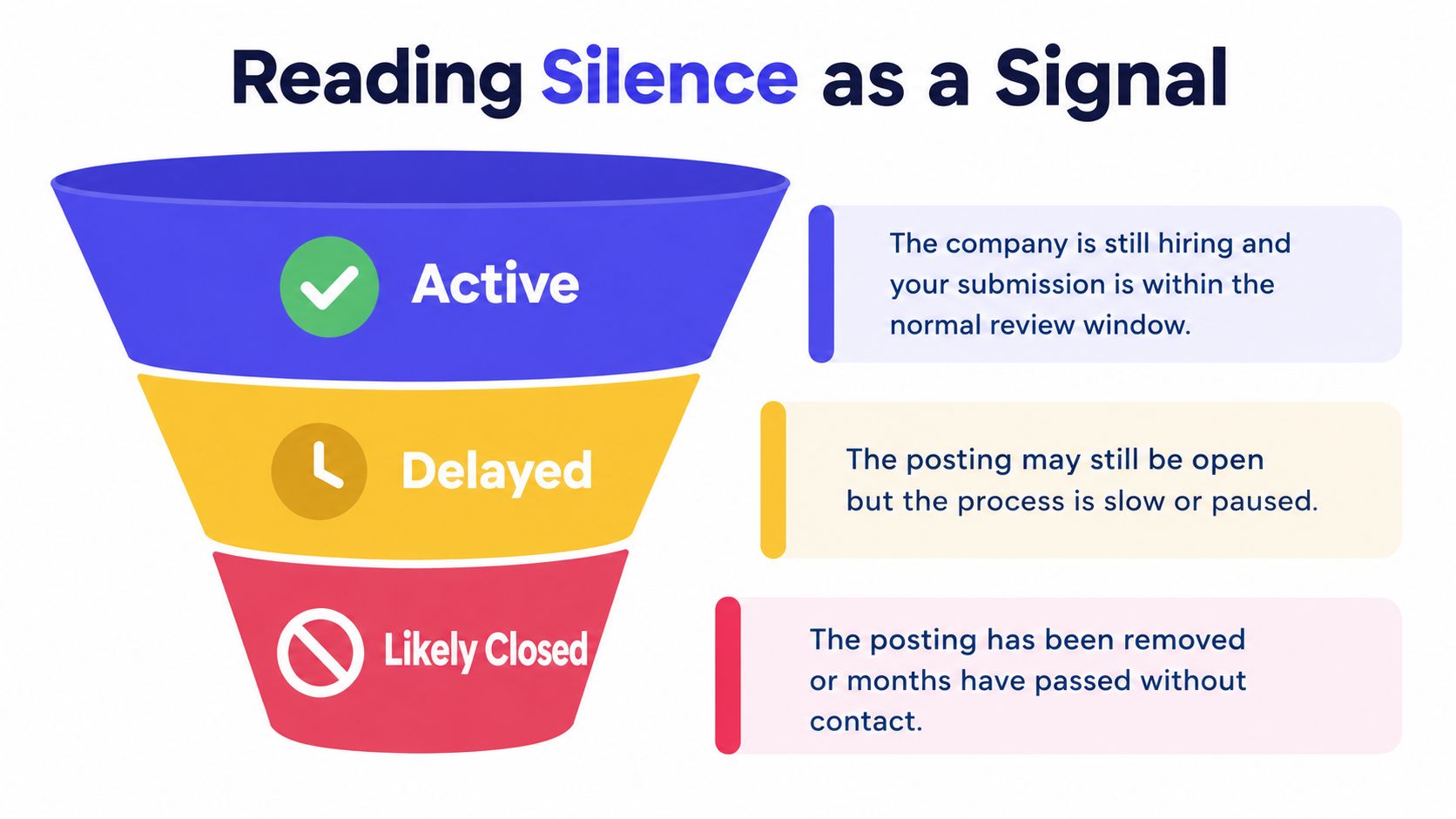
Use facts you can check: whether the posting is still live, whether the company appears to be hiring for that function, how long it's been since the last contact, and whether you've recorded the role's requisition details. Then choose the closest fit.
- Active: The posting is still available, your application is within the employer's stated timeline, or the team has contacted you. Keep the record current and wait for the next promised update.
- Delayed: The role remains posted, but a deadline has passed or communication has stalled. Send one appropriate follow-up if contact is allowed, then keep applying elsewhere.
- Likely closed: The posting has disappeared, the company confirms the role is no longer active, or a long stretch has passed without contact or visible progress. Record the evidence and redirect your effort.
One useful signal is the overall response window. An Indeed career guide reports that 86% of job seekers heard back from an employer within one month, while noting that hiring processes can take days or weeks (Indeed's guide to following up on an application). That's a reason to keep checking your records during the first month, not a promise that every applicant will hear back or get an interview.
Keep applying even when the portal says “under review.” An unchanged label can't tell you whether the role is moving, paused, or already filled. Treat silence as information about the process, not a reliable judgment about your qualifications.
Putting it all in one dashboard
A tracker is useful when it helps you remember what happened and what you planned to do next. It doesn't need to predict a hiring decision. A spreadsheet can handle the basics: company, role, requisition ID, submission date, current portal label, last contact, and next follow-up date.
Put the facts and your interpretation in separate fields. “Portal says under review” is a record; “probably active” is your current read of that record. Keeping those distinct helps you avoid treating an automated label as a person's decision. Add the date and source whenever something changes, then note the next promised action, if there is one.
The most useful tracker doesn't make you apply faster. It stops you from having to remember whether you already followed up.
DashApply is one option for keeping job-search work together. It helps users format ATS-friendly resumes, tailor a resume to a specific job using their real experience, identify missing skills or keywords and a match score, track roles and follow-ups, and browse active jobs. Users can review and edit materials before downloading or submitting them. The autofill extension is coming soon, not a live feature. For a wider look at the options, see this guide to job tracker apps.
Use any tool with the same rule: log what happened, set a reasonable next check, and don't let a reminder turn into automatic outreach. DashApply is free during its early launch, with no card required, so you can try it on one application and see whether that record-keeping suits your routine.
Your next step and a one-page checklist
Take ten minutes today to open a spreadsheet or application workspace. List each open application with its company, role, submission date, last contact, portal status, and next planned action. Tag each one active, delayed, or likely closed based on the evidence you have.
Then use this checklist whenever you review your applications:
- Portal: Confirm the right role and note any status change.
- Email: Search your inbox and filtered folders for employer messages.
- Recruiter channels: Check the LinkedIn, SMS, or WhatsApp thread already used for that application.
- Follow-up: Check the employer's timeline before sending a concise message.
- Outreach: Log each contact and don't send simultaneous messages across multiple channels.
- Next action: Set a date to review again, or mark the application to archive.
Most job searching is learning to separate useful signals from noise. A clear record won't make an employer reply, but it can stop you from guessing, refreshing, and accidentally sending the same check-in twice.
DashApply helps you tailor and format ATS-friendly resumes, spot missing skills and keywords, track roles, and remember follow-ups, with every draft available for your review before you use it. It's free during early launch with no card required, so try DashApply with one application and give yourself a calmer way to keep tabs on the rest.